How to Download Photos and Videos from the Memory Card via FTP (Camera Module)
Connect your PC to the camera module over FTP and transfer photos and videos from the memory card in
The G1 camera module supports FTP access to its memory card, so you can download photos and video files stored on the camera module directly to your computer.
Under the FTP protocol, the camera module acts as the server.
Your computer must be connected to the same network as the camera module.
The default address of the camera module is 192.168.1.64, and the port is 21.
The following steps use the 8uFTP tool as an example:
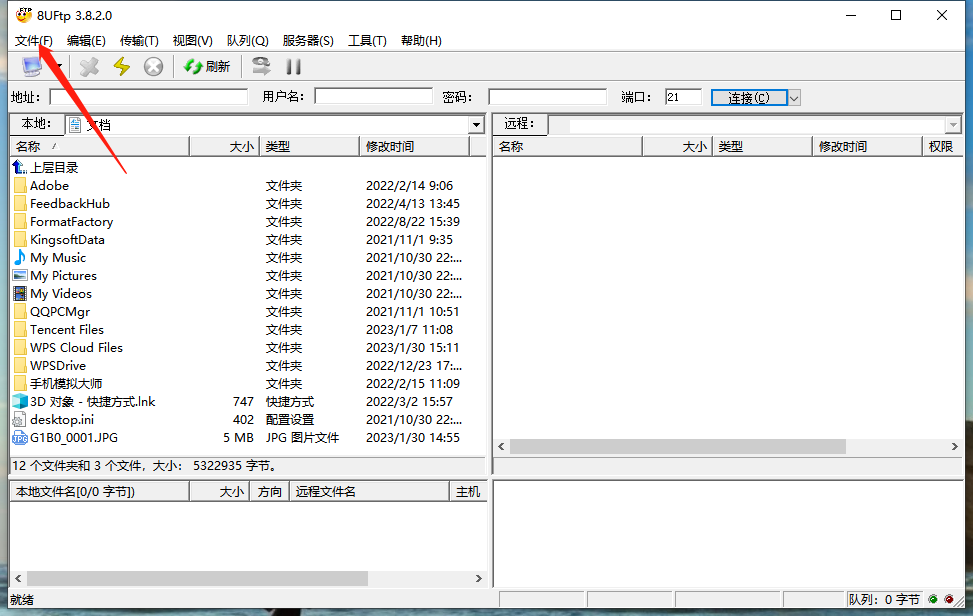
1. Download and launch the 8uFTP tool. Click File in the upper-left corner and open Site Manager.
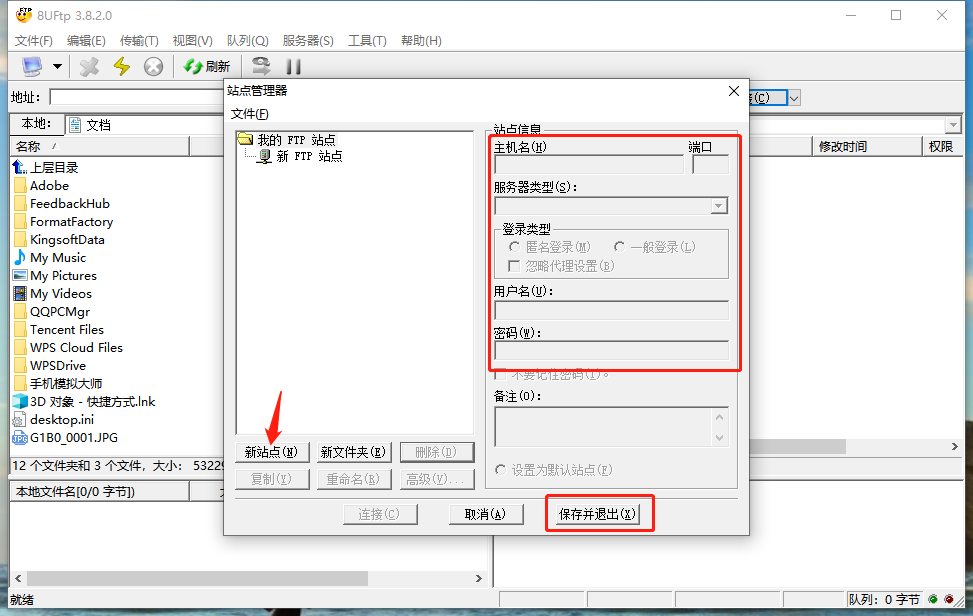
2. Register the FTP site information: click New Site, then fill in Host Name, Port, User Name and Password on the right-hand side. Enter the camera's default IP address 192.168.1.64 as the host name and 21 as the port, then click Save and Exit.
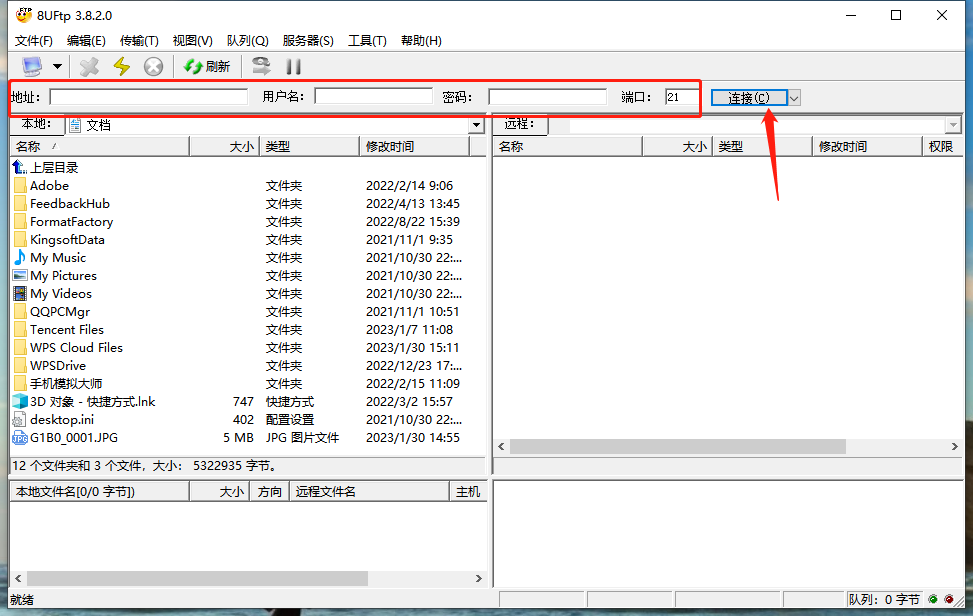
3. Return to the 8uFTP main window and enter the site information you just saved — Address, User Name, Password and Port — in the fields at the top, then click Connect. The connection will be established successfully.
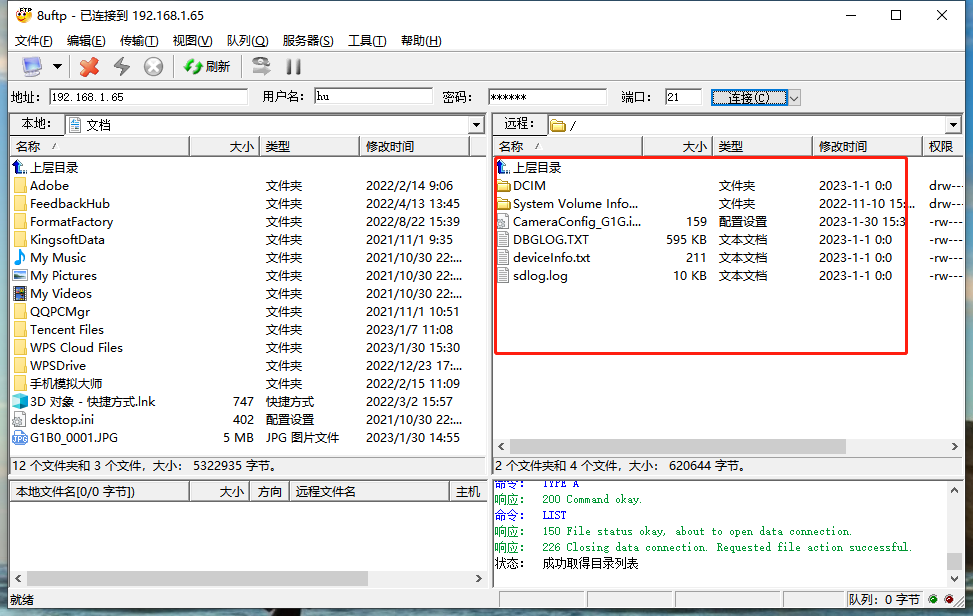
4. Once connected, the right-hand panel of the 8uFTP main window shows the files on the camera's memory card. Right-click a file to download it to your computer.