
How to set the IP address for the G1 camera module?
Operating instructions on setting the IP address of the G1 camera module
The G1 camera module is a full-featured camera module combination developed by Huaxing Video based on the V39M chip of iCatch Technology, including the camera core motherboard,Camera module, a WIFI expansion board/network expansion board can be added according to the needs. There are three combinations of the core motherboard, camera module and expansion board:Mainboard + module, mainboard + module + wifi board, mainboard + module + network port board。
The G1 camera module with the expansion board has an IP address and can be connected to WiFi or the network port. If rtsp streaming is required, you need to enter the IP address of the corresponding camera module for streaming. The streaming address is "rtsp://192.168.1.64:554/H264?W=1280&H=720&BR=2000000&FPS=30".So how to set the IP address of the camera module?
The default IP address of the camera module with the wifi expansion board is192.168.1.1;
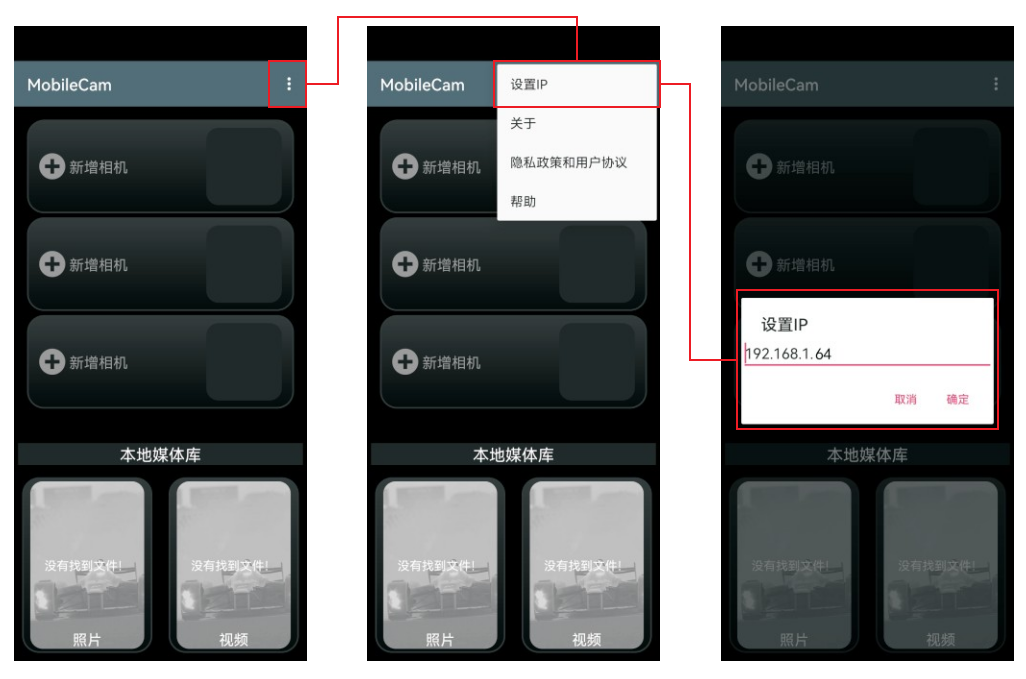
The default IP address of the camera module equipped with the network port expansion board is192.168.1.64。
The IP address of the G1 camera module can be modified through the APP and configuration files. The following are the operation methods for setting the IP address of the camera module through the APP and configuration files:
1. Set IP address via APP:
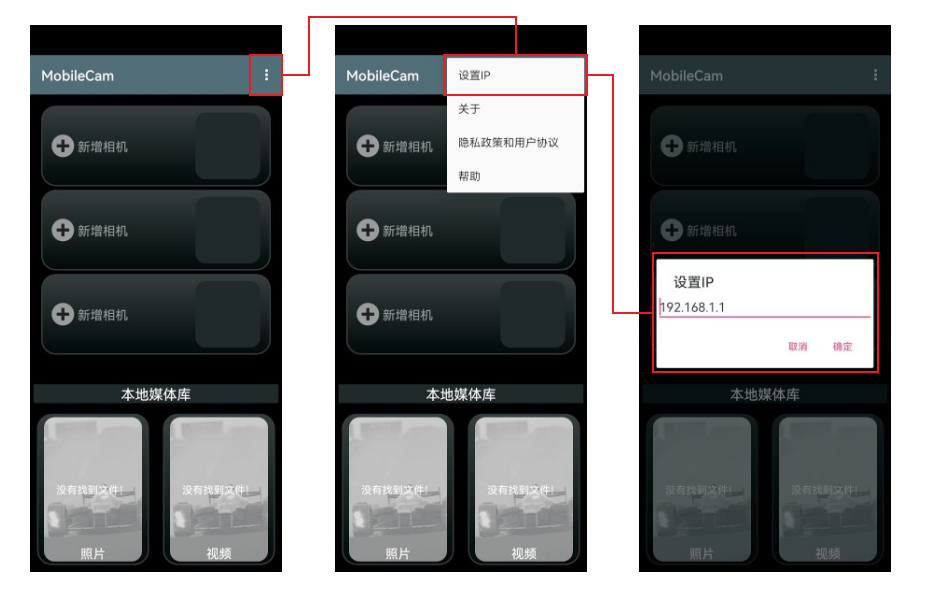
After the G1 camera module is successfully connected to the APP, click "Settings" and "Set IP" in the upper right corner of the APP page to customize the IP address of the camera module.
Special note: When using with an Ethernet port board, the APP's IP setting should be set to "192.168.1.64" by default, as shown in the following figure:
2. Set the IP address through the configuration file:
The G1 camera module can set the IP to static IP or dynamic IP through the configuration file. The default is static IP. Under static IP, you can set the IP address and gateway.
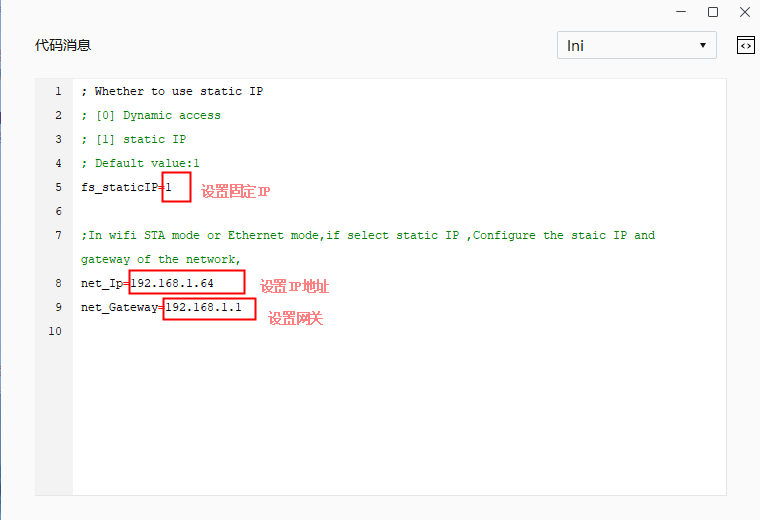
If the camera module usesNetwork port rtsp streaming, or wifi inRTSP streaming in STA modeIf the gateway of the connected computer or router is not 192.168.1.1, you need to set the gateway in the configuration file to be consistent with the computer gateway.
For example, if the gateway of the computer network or the connected router is 192.168.3.1, then in the configuration file, it needs to be set to:
net_Ip=192.168.3.64
net_Gateway=192.168.3.1
The above is the operation instruction of setting IP address for G1 camera module. After setting IP address for camera module, the address of rtsp stream pulling should also correspond to the same. For example, if the IP address of camera module is set to 192.168.1.66, then when pulling stream by rtsp, the IP address in the pulling stream address should also be 192.168.1.66.