
How to set the time watermark for the G1 camera module?
Set the time watermark for photos and videos of the G1 camera module
The G1 camera module is a full-featured camera module developed by Huaxing Video based on the iCatch chip.Camera moduleThe combination has the advantages of low power consumption, high performance, fast operation, simple use, and rich functions, which can better meet the needs of users for shooting. So how to set the time watermark for the G1 camera module?
The G1 camera module can be set in three ways: through the APP, through the touch screen, and through the configuration file. For detailed operations, please refer to the instructions:G1 Camera Module Parameter Setting Instructions。
The G1 camera module can add time watermarks to videos or pictures, and can also be set in these three ways. The following are the operation methods for setting time watermarks through the touch screen, APP, and configuration file:
1. Set time watermark via touch screen
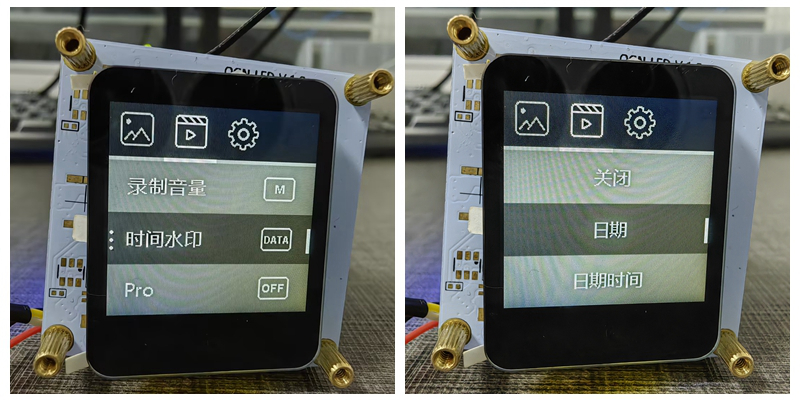
After the G1 camera module is turned on, it enters the video recording mode by default. Touch the screen to enter the camera preview screen. Click the settings in the lower left corner to enter the video parameter setting page. Find the "Time Watermark" parameter and click it to select "Off, Date, Date and Time".
To set the time watermark for photos, you need to enter the photo mode, go to the settings page, and perform the same settings as in the video mode.
2. Set time watermark via APP
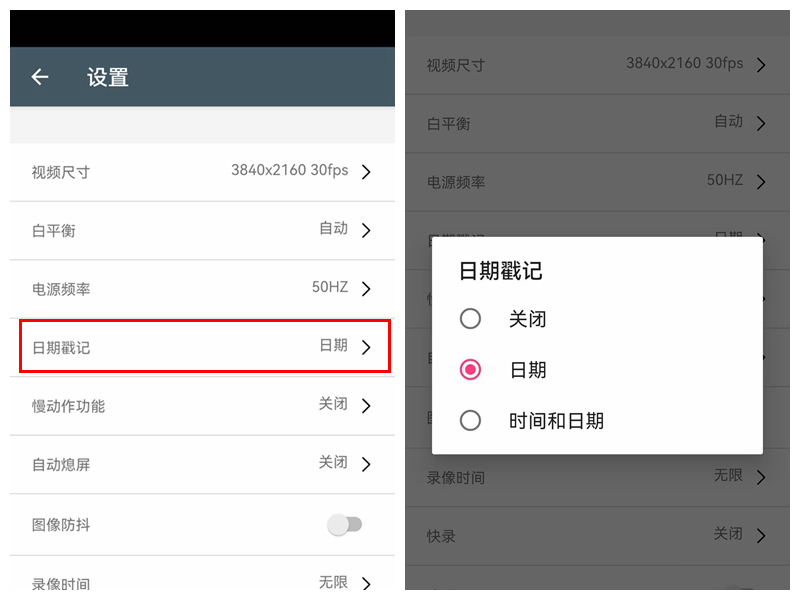
After the G1 camera module is successfully connected to the APP, the default mode on the APP page is recording mode. Click the settings in the upper right corner to enter the video parameter setting page, find the "Date Stamp" parameter, and click it to select "Off, Date, Date and Time".
To set the time watermark for photos, you need to enter the photo mode, go to the settings page, and perform the same settings as in the video mode.
3. Set time watermark through configuration file
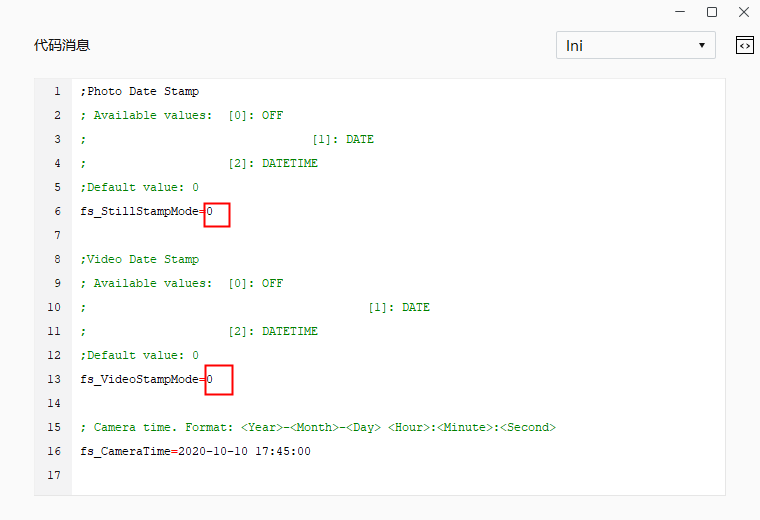
The G1 camera module can set the time watermark for photos and videos by setting the configuration file. The setting options for the time watermark are also "off, date, date and time". After setting the configuration file, save it and put it in the root directory of the memory card. After inserting the memory card into the camera, turn it on, off, and then turn it on again, and the configuration file settings will take effect.
After setting the time watermark, if you find that the date and time of the time watermark are inaccurate, or the date and time of the photo/video file in the folder are inaccurate, you need toSetting up time synchronization。
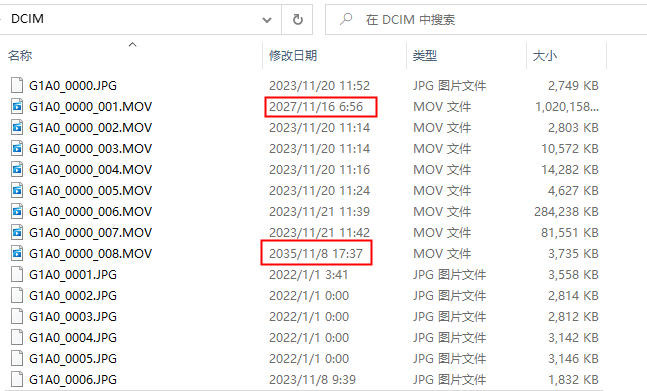
To set time synchronization, you can use the touch screen or the configuration file. The following is how to set time synchronization with the configuration file. You need to fill in the current date and time in the configuration file and then make it effective. After the configuration file takes effect, the time watermarks in the photos and videos taken, as well as the file dates and times in the folders, will be synchronized to the current date and time.
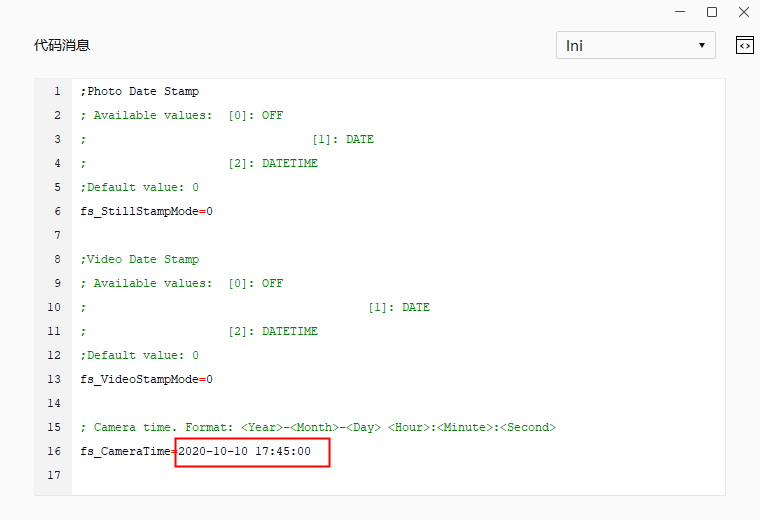
Special attention:
The G1 camera module uses a battery to power the RTC. Therefore, after the camera is set to synchronize time, the RTC needs to be powered on and the battery cannot be disconnected. The camera can be turned on and off normally. If the battery of the camera module is disconnected, the date and time of the photos and videos taken, and the date and time of the image files in the folder will be inaccurate.