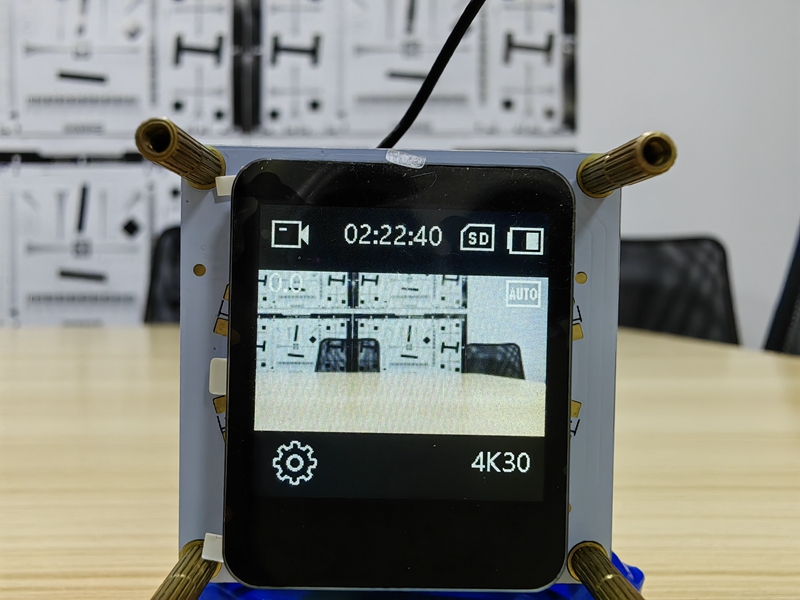
G1 camera module sets parameters such as resolution and frame rate
Camera module sets resolution and frame rate
The G1 camera module is a full-featured camera module developed by Huaxing Video based on the iCatch chip.Camera moduleThe combination supports the recording and output of videos with a maximum resolution of 4K@30fps, and also supports the recording and output of videos with other resolutions and frame rates.
If you have purchased the G1 camera module, the following content can help you set the camera module's video resolution, frame rate and other parameters to meet your diverse needs.IMX377 Camera ModuleTake the G1 camera module as an example. For other modules, please refer to the camera module specification.
Local video recording
The G1 camera module is controlled by buttons, APP, and serial port to record video. The recorded video files are saved in the memory card. The default recorded video resolution and frame rate are 4K@30fps.
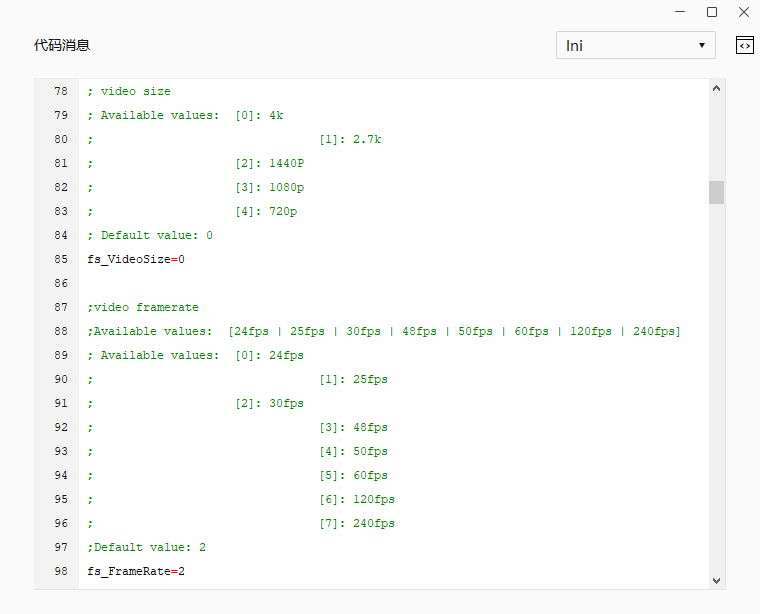
The resolution and frame rate of video recording can be modified through the touch screen, APP, and configuration files.
For detailed operations, please refer to the instructions:G1 camera module parameter settings。
USB output image
The G1 camera module supports the UVC protocol and can be connected to a computer via a USB cable to output images in real time. The default output image resolution and frame rate is 1080P@60fps.
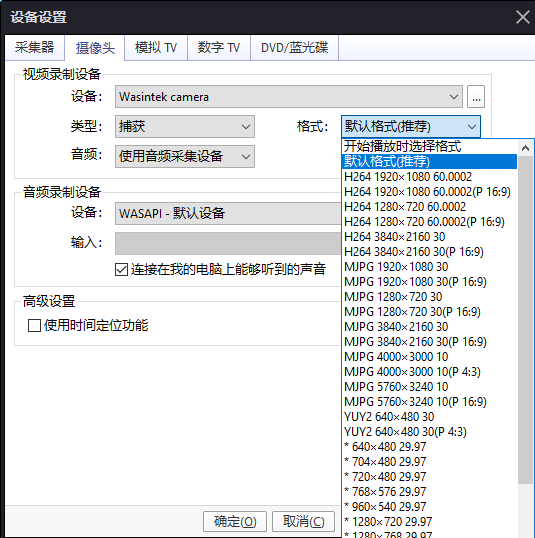
Taking PotPlayer as an example, you can set the output video resolution and frame rate through the player. The bitstream of USB output video needs to be modified through the configuration file.
For detailed operations, please refer to the instructions:G1 Camera ModuleUSB to PCCAM Mode Operation Instructions。
RTSP streaming via network port/Wifi
The G1 camera module supports the rtsp protocol and can stream via the network port or wifi. The streaming address is "rtsp://192.168.1.64:554/H264?W=1280&H=720&BR=2000000&FPS=30". The default video resolution and frame rate of the streaming is 720P@30fps.
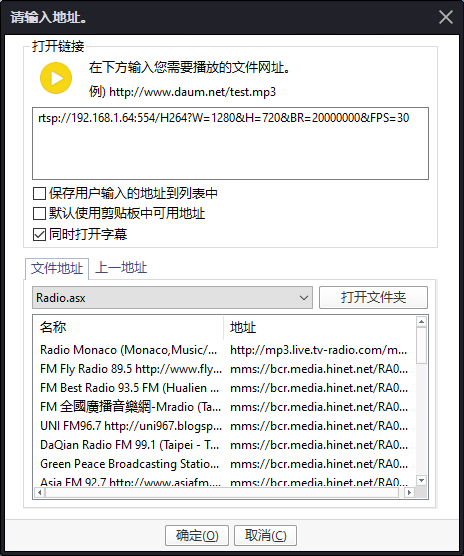
You can set the resolution, frame rate, and bitrate of the streaming video by modifying the parameters in the streaming address. W is the horizontal pixel point of the video, H is the vertical pixel point of the video, FPS is the frame rate, and BR is the bitrate (in bps).
Network port rtsp streaming can view the instructions:Network port operation instructions。
For Wifi rtsp streaming, please refer to the instructions:After connecting the computer to the camera WiFi, rtsp outputs the video stream。
HDMI output image
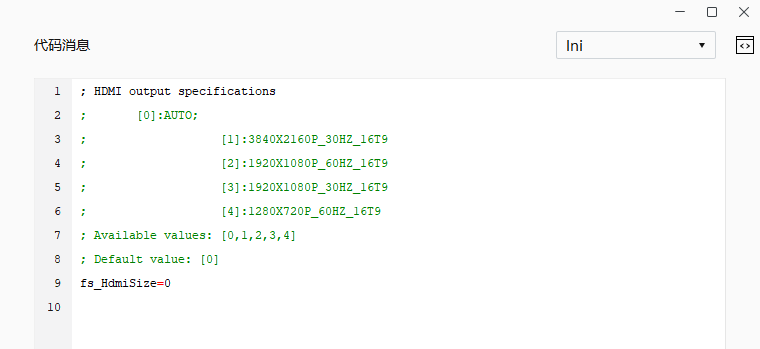
The G1 camera module is equipped with a Micro HDMI high-definition interface, which can be connected to a display screen and other display devices via an HDMI cable to output images in real time. The default output image resolution frame rate is 4K@30fps.
The resolution and frame rate of the HDMI output image can be modified through the configuration file.
APP Preview
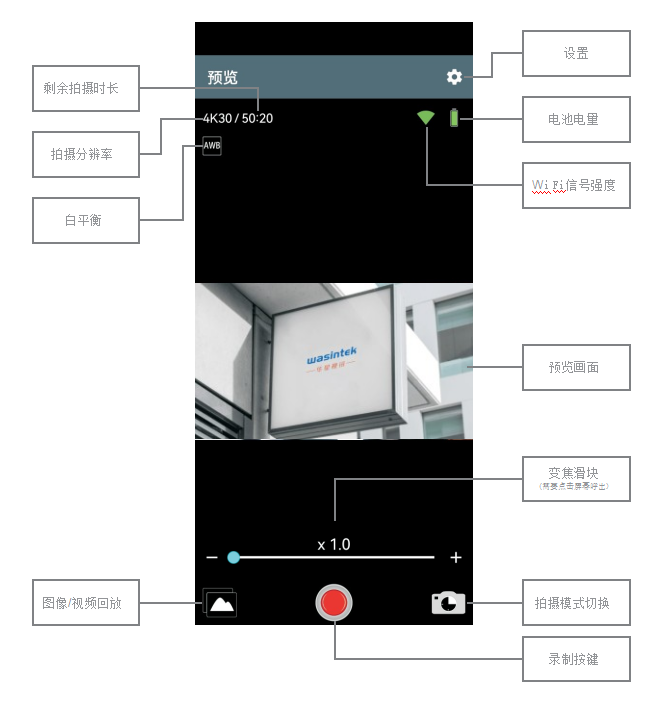
The G1 camera module is equipped with a wifi board, which can connect to the mobile phone APP via wifi. The camera image can be previewed in real time on the APP. The resolution of the APP preview image is 720P 30FPS.
Touch screen preview
The G1 camera module is paired with a wifi board. A designated 1.3-inch touch screen can be added to the wifi board. The camera image can be previewed in real time on the touch screen. The resolution of the touch screen preview image is 240*240 30FPS.