
The G1 camera module cannot take pictures. How to deal with it?
Problem handling instructions for the camera module that cannot take pictures
G1 Camera Module, is a full-featured product developed by Huaxing Video based on the iCatch chipCamera ModuleIf the G1 camera module you purchased cannot take photos or record videos normally, you can refer to this article for help.
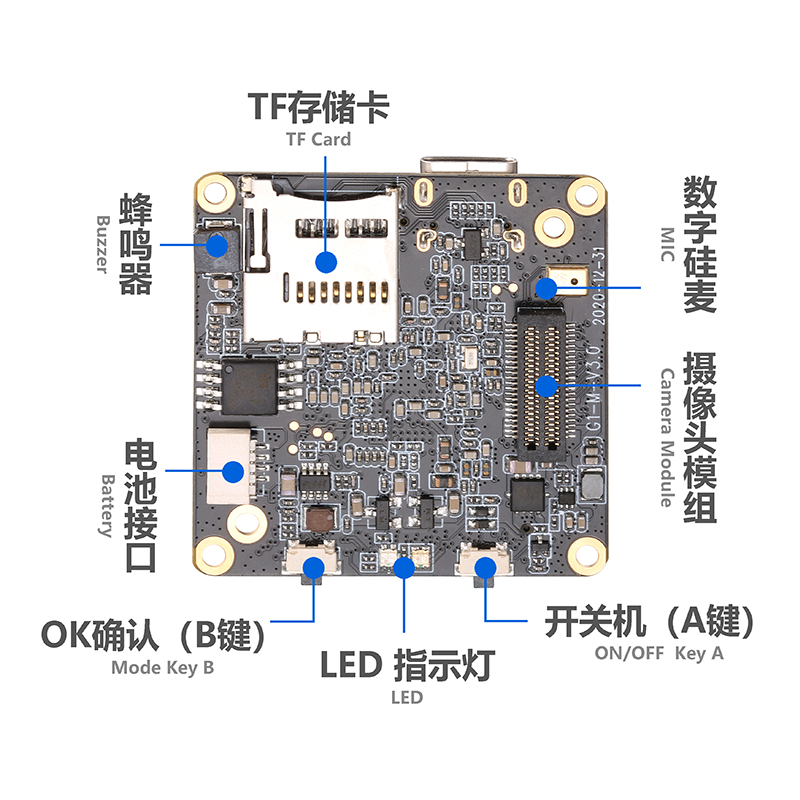
Problem description:
Short press of the G1 camera module's capture button has no response
Cause of the problem:
1. The TF memory card is incompatible or abnormal;
2. Firmware abnormality;
3. Key failure.
Solution:
1. Restart the G1 camera module;
2. Replace the TF card that meets the requirements (TF card reading and writing speed level is Class 10 and above, and the maximum memory capacity can support 512G);
3. If the TF card meets the requirements but still cannot be used for shooting, please save the material in the TF card, format the TF card and then re-install it into the G1 camera module to shoot. If conditions permit, you can try another TF card.
4. Upgrade the G1 camera module firmware. Contact customer service to obtain the corresponding firmware version and operation procedures;
5. If the problem still cannot be solved, please contact Huaxing Video Customer Service for help.
Problem description:
There is no response when pressing the camera button of the APP
Cause of the problem:
1. The TF memory card is incompatible or abnormal;
2. APP connection abnormality;
3. APP is abnormal.
Solution:
1. Replace the TF card that meets the requirements.(TF card reading and writing speed level is Class 10 and above, and the maximum memory capacity can support 512G);
2. If the TF card meets the requirements but still cannot be used, please save the material in the TF card, format the TF card, and then re-install it into the G1 camera module to shoot. If conditions permit, you can try another TF card.
3. Re-enable the Wi-Fi of the G1 camera module and reconnect;
4. Upgrade the APP to the latest version and restart the APP.
5. If the problem still cannot be solved, please contactHuaxing VideoCustomer Service Get help.