Operation instructions for outputting images from the G1 camera module to a mobile phone via USB
Outputting images from the camera module to a mobile phone via USB
The G1 camera module is a full-featured camera module combination developed by Huaxing Video based on the V39M chip of iCatch Technology, including the camera core motherboard,Camera module, a WIFI expansion board/network expansion board can be added according to needs.The G1 camera module has a USB interface on the mainboard and supports UVC protocol. It can output images by connecting to a mobile phone via a USB cable.Here are the specific steps:
Conditions of use: Android phone,G1 camera module,Tppe-CCharging cable,OTGAdapter (Type-CchangeUSB). Install on your phoneMobileCam APP。
G1. Camera module connectionUSBLine, connected toOTGAdapter,Type-CConnect a mobile phone to the interface, the machine will automatically turn on, and short press the power button (Akey) to switch toPCCAMmodel;
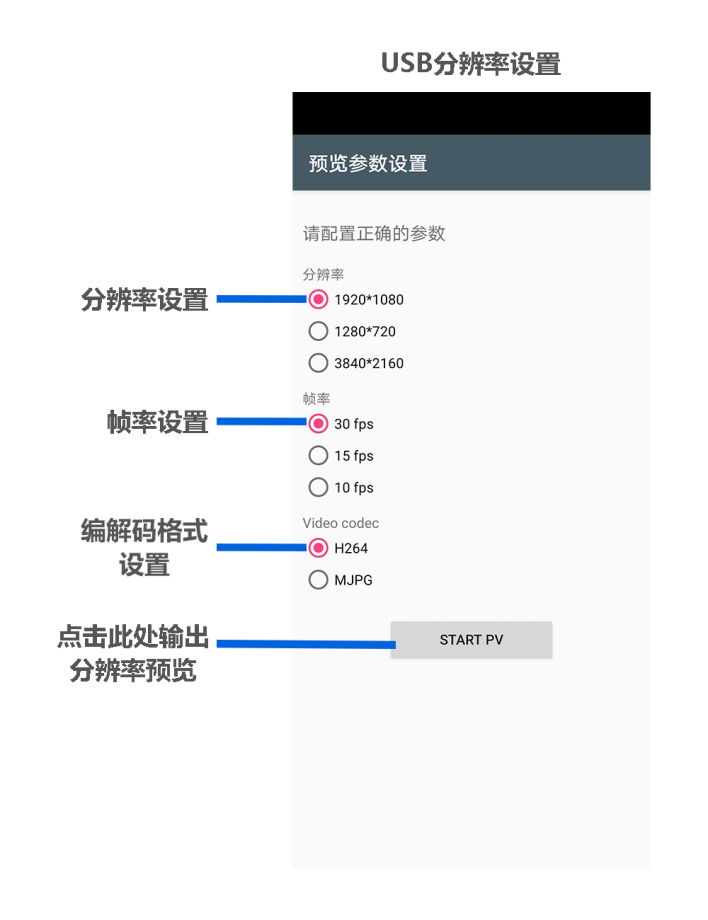
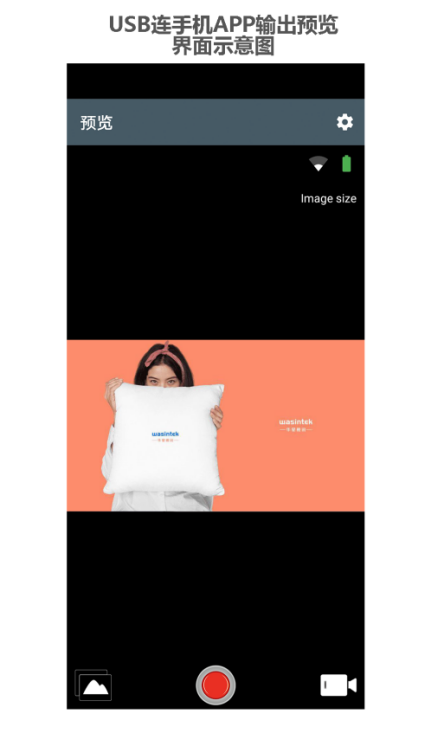
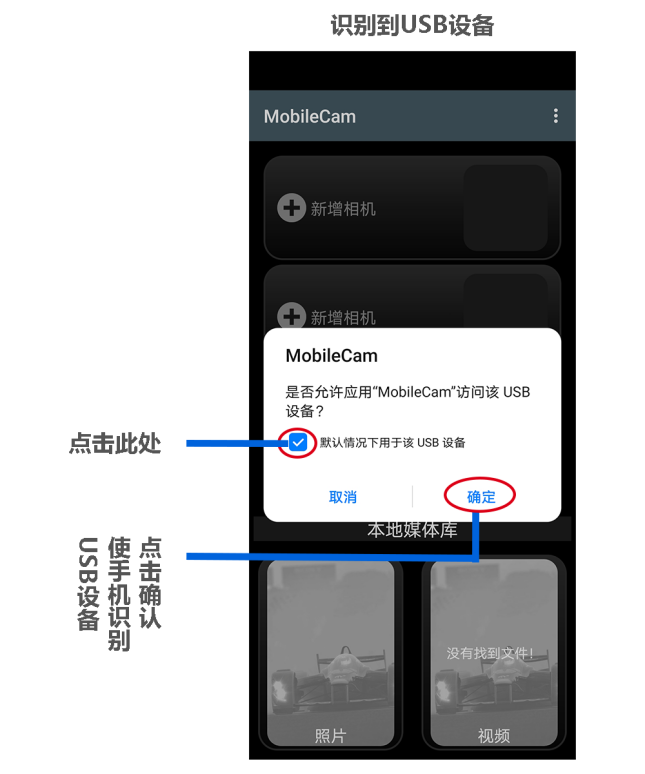
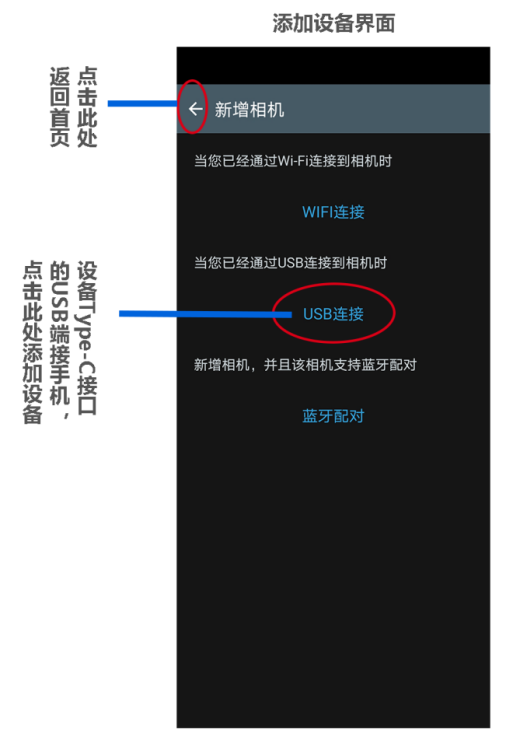
Click to openMobileCam APP, a dialog box pops up on the phone asking "Do you want to allow the application"MobileCam'Visit theUSBDevice", select "OK", then click Add Device, click and select "USBConnect" and then clickSTART PV"EnterAPPPreview;
Use the phone's virtual back button to return to theUSBResolution Settings" interface, reset the output resolution and frame rate, etc. as shown below: