Production instructions for firmware card upgrade files of the G1 camera module
Production instructions for firmware card upgrade files
TakeG1A0 (IMX377)as an example:
1. Open the download that requires the card upgrade file to be created;
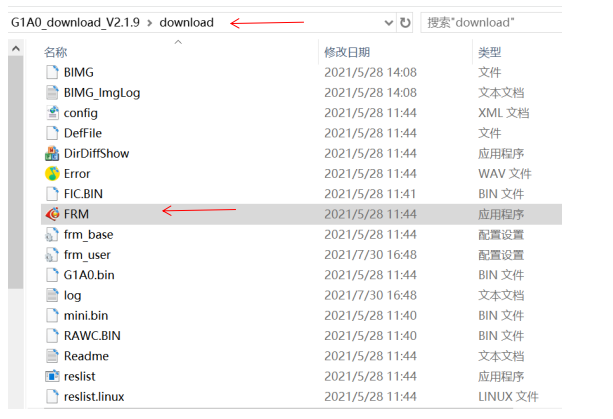
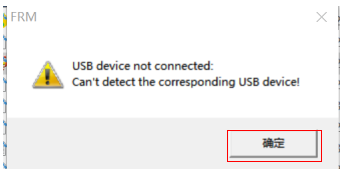
2. Click to open the FRM, a prompt box pops up, click "Confirm", and enter the display interface as follows:
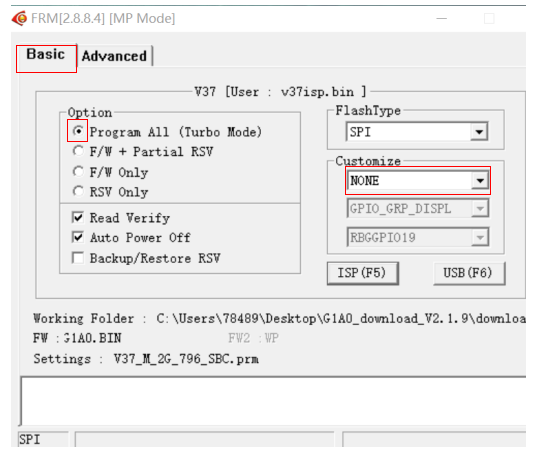
3. Click againAdvanced , and the following interface is displayed:
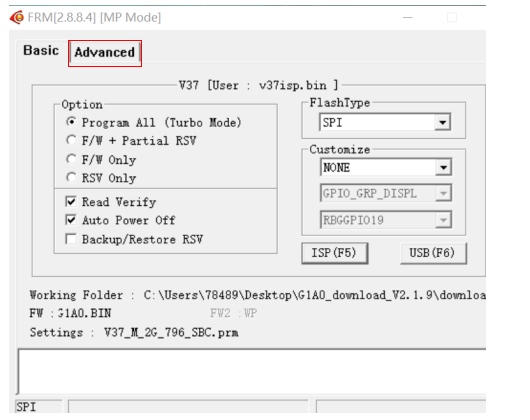
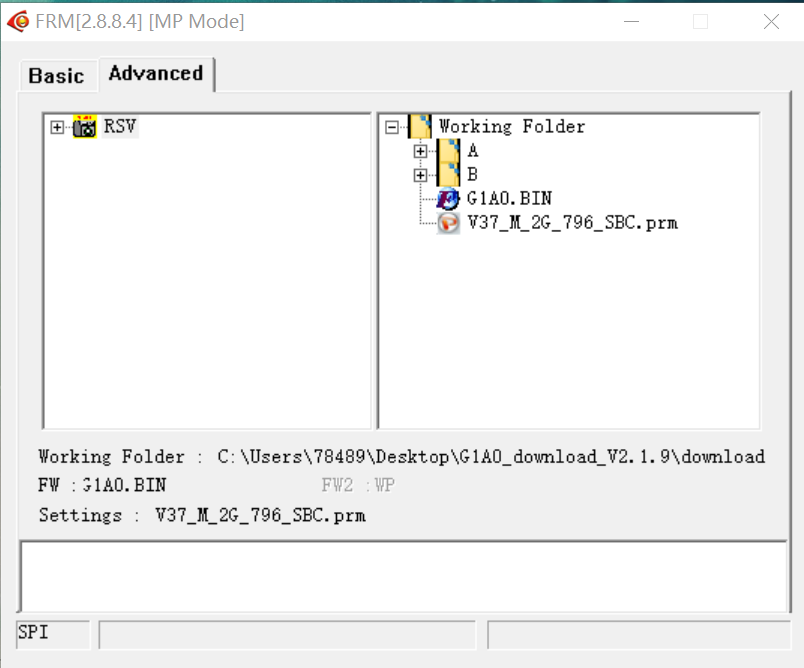
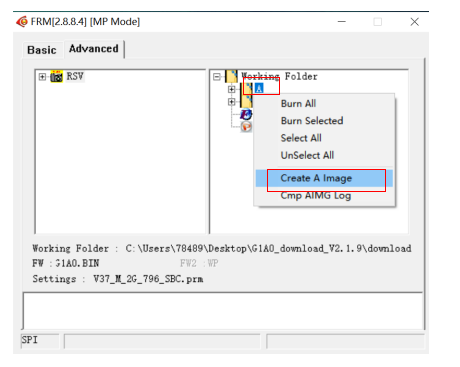
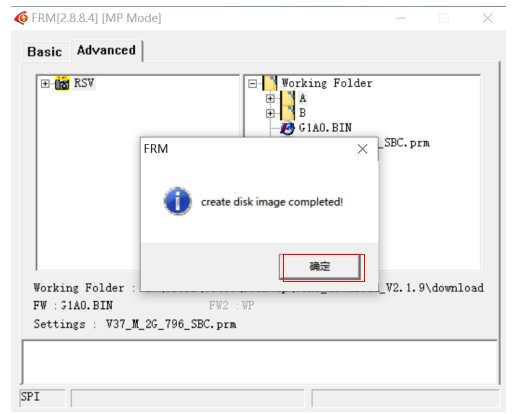
4. On the right side, under the Working Folder, right-click on A, a drop-down bar is displayed, and click Greate A Image, in the popped-up prompt box, click "Confirm". The operation is shown as follows:
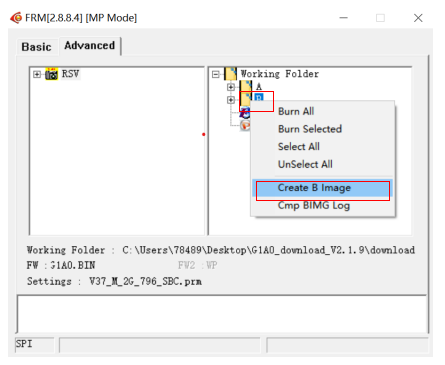
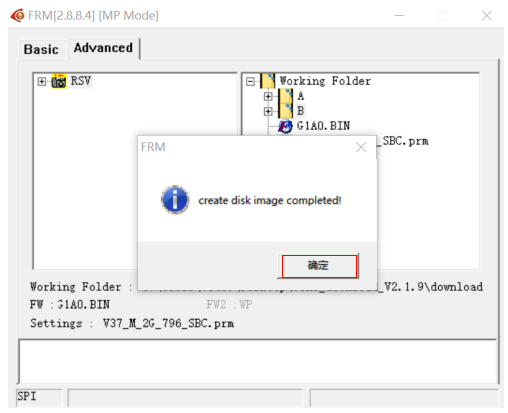
5. On the right side, under the Working Folder, right-click on B, a drop-down bar is displayed, and click Greate B Image , in the popped-up prompt box, click "Confirm". The operation is shown as follows:
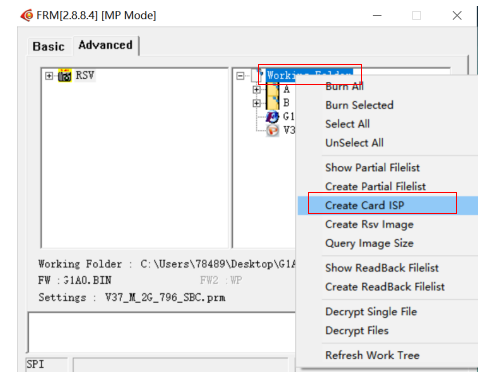
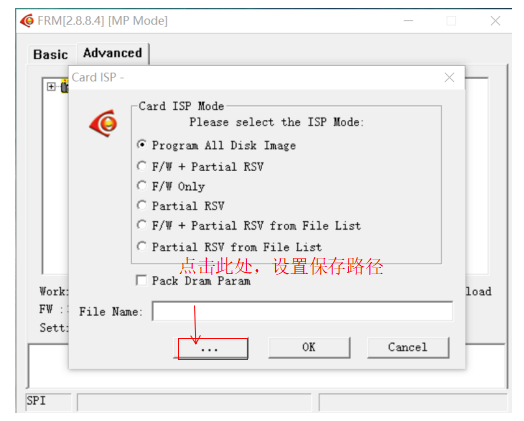
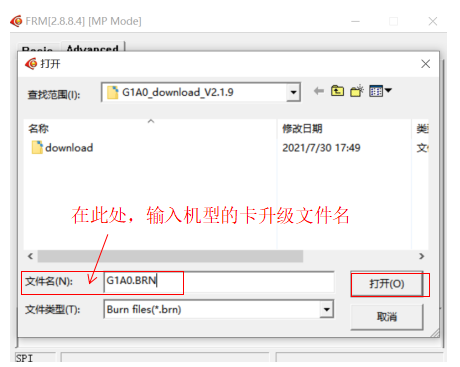
6. Right-click on the Working Folder, a drop-down bar is displayed, and click Create Card ISP, in the popped-up prompt box, select the save path, and enter the card upgrade file name according to the model, such as:G1A0.BRN,and then click "OK",The operation is shown as follows:
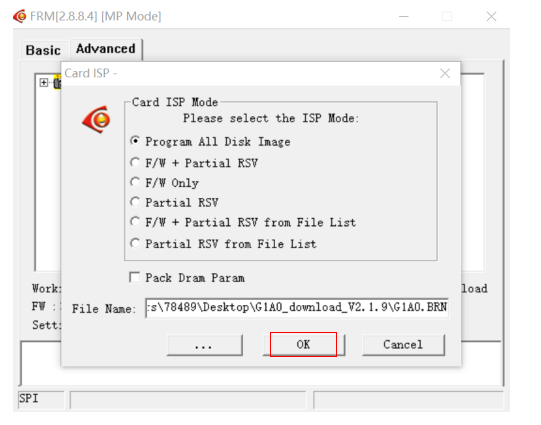
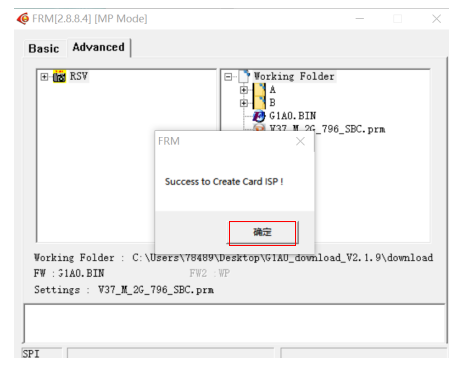
The generated file is completed. Click "OK" in the pop-up box. In the saved path, the generated card upgrade file can be seen.